
Our mission at Ikalor does not stop at supplying quality compatible cartridges. We also strive to provide solutions to frustrating printing problems.
Today’s guide focuses on strategies to fix Brother Printer in an error state. We feature the common causes and actionable solutions.
Let’s dive right in:
Common Causes of Brother Printer Errors
- USB cables not connected correctly
- Communication errors between the computer and printer
- Faulty or outdated printer drivers
- Slow internet connection
- Virus or malware attack
Ways to Fix Brother Printer in Error State
1. Eliminate All the Basics Causes
Some basic factors might be making your printer be in an error state. Before you get to the complex solutions, it’s a good idea to rule out the following:
Printer connections to computer: Loose cables are the chief cause of printer errors. Confirm that the cables are working and that they are tight.
You should ensure that your router works if you’re printing on the network. Search the control panel and click to open printers and devices. You can then check if your printer is listed there.
Check your ink or toner levels. Printer errors might be caused by straightforward issues such as low ink or toner. There is a chance that the cartridges are not correctly inserted. Check your cartridges to rule out this possible cause.
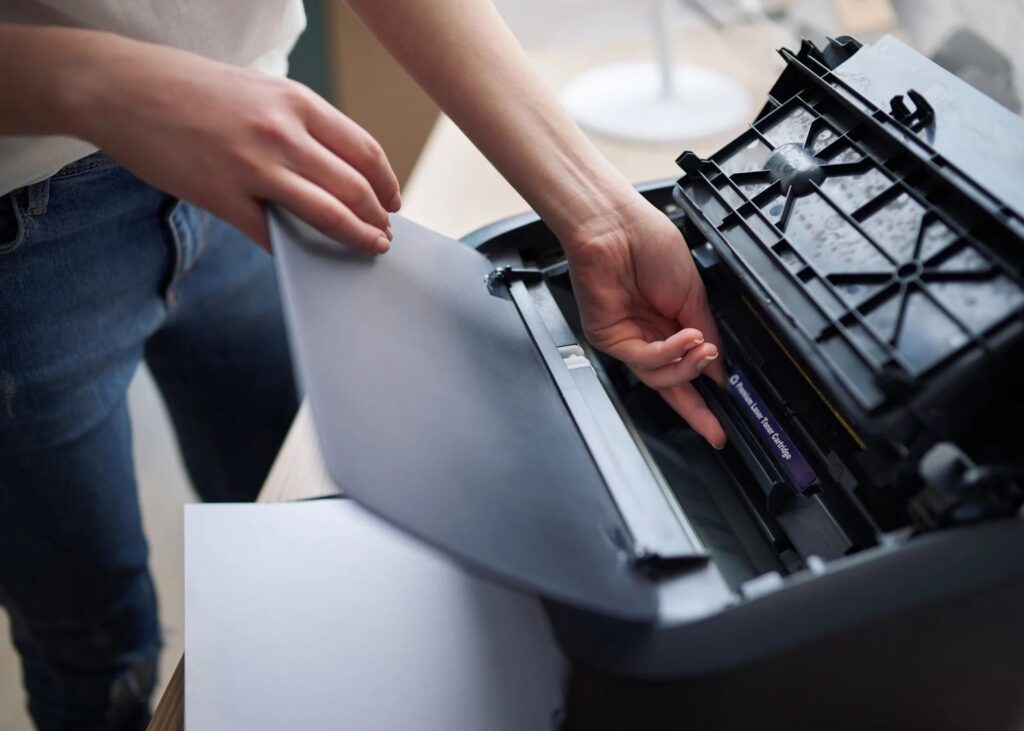
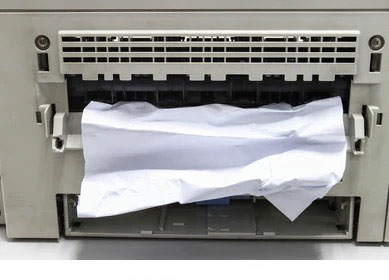
Check if there is a paper jam: Could there be paper remnants inside your printer? Remove them gently and ensure that no pieces are remaining.
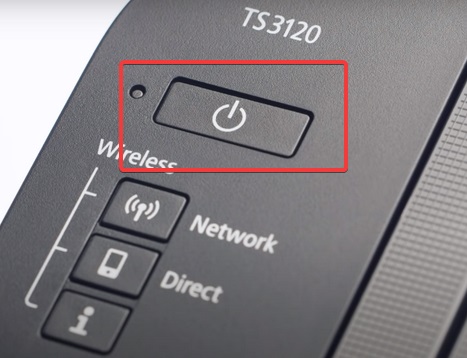
Restart your devices. Shut down your printer and computer for five minutes, and restart them. Restarting may sort the device’s internal issues and could start working correctly. Your printer might have faced a mishap while booting, and restarting might resolve.
Have you resolved the issue by now? The problem could be a little complex if correcting those basics have not helped. Let’s get to the core of the matter.
2. Ensure that the Printer is Online
Your printer could be in an error state because it’s offline. Getting it back online should fix the problem. Confirm the status of the printer icon in your computer’s taskbar. Alternately, you can try printing a document and check the printer properties section. The printer might be offline for reasons, such as low internet connection. Driver automatic updates could also make your printer offline.
Are you wondering how to fix it?
- Access the Control Panel on your computer
- Go to the printers and devices
- Right-click on the Brother icon and select it as the default printer.
- Once you have set it, right-click it again and check what your printer is printing
It will open a printer tab
- Uncheck the options for Use Printer Offline and Pause Printing
- Then restart your computer
Is your printer still in an error state? Proceed to solution three
3. Restart the Print Spooler Services
The printer spooler coordinates printing jobs between your computer and printer. The Spooler might get overloaded when you send a series of printing jobs. When overwhelmed, the Spooler will not submit the files to the printer. This often results in printing errors.
Here are the steps to fix it:
- Meanwhile, press the Windows and R keys. It will open a dialogue box to accept commands
- Type the letters “CMD”, which will open the command prompt
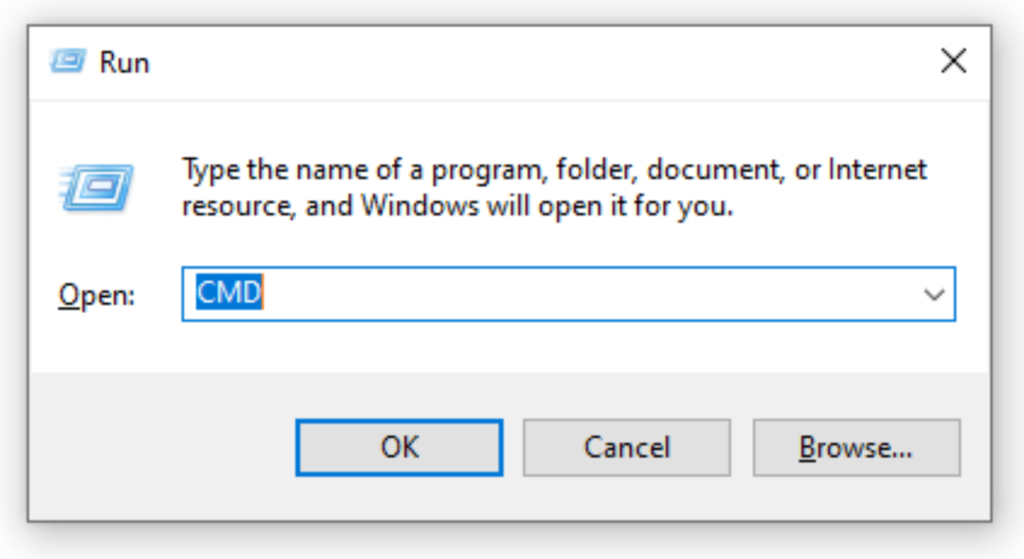
- Right-click and choose “Run as Administrator” and click “Yes” to confirm your request
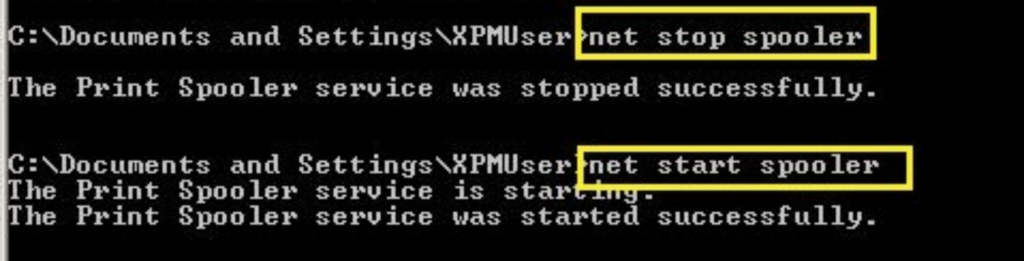
- On the Command Prompt, type the command “net stop spooler” and press the Enter key
- You will see a notification that the Spooler has successfully stopped
- Then type “net start spooler”, and press Enter again
- You will see the message that the Spooler has successfully started
- Restart your printer and try printing
Is your printer now working correctly? If not, then we proceed to the next solution
4. Clear All Pending Print Jobs in the Spooler
Errors in the Spooler could also be corrected by clearing all the printing jobs.
This can be done by accessing the Spooler manually or clicking the printer icon on the taskbar
Let’s explore these options:
- Press the Windows and R keys at the same time.
- Type “C:\Windows\System32\Spool\Printers” on the dialogue box
- Find the files on the Spooler and delete them
Then restart the Spooler by following these instructions:
- Open the Run box (Windows + R key) and type the commands “Services.msc”
- Press the enter key and look for the Spooler on the services listed
- Right-click the Spooler and choose to restart
- Then go ahead and restart your computer and printer
Proceed to the next solution if you still find the errors.
5. Reactivate the PnP Detection
Activating the PnP or Plug and Play detection can also help correct the errors. Before you proceed, you’d need to first restart your printer.
Here are the steps to activating it:
- Locate the Device Manager. You can search it and click to open
- Once it opens, click on the view tab to expand the display list
- Locate the COM & LPT ports and expand the list of options
- Look for ECP Printer Port (LPT1) and right-click to open the properties
- Open the Port Settings
- Select the Use any interrupt that is assigned to the port
- Then look for the plug-and-play detection option and click to enable it
- Then click Ok
- Restart your printer and computer and check if the printer is still in an error state
Is the printer still in an error state? Well, proceed and update your printer drivers
6. Update Brother Printer Drivers
Updating the printer device will fix the bugs possibly affecting your printer. You can choose automatic updates or update them manually.
Here is how you can work on the updates:
- Connect your printer to the internet and open your printer
- Visit the Brother’s support page and navigate to the download page
- Look for search by category and choose the driver for your specific printer brand
- Choose the driver that matches your operating system. First, check whether you are using 32-bit or 64-bit.
- Click to download, and agree to the terms and conditions if prompted
- Choose where your download will be stored in your printer and proceed with the download
- Click to install it, and follow the steps as prompted. It would help connect your printer to the computer while installing the drivers.
- Restart your printer and try printing
Do you still face the unsettling error state? Proceed and uninstall your printer on the computer
7. Uninstall and then Reinstall Your Printer Software on Your Computer
Uninstalling and reinstalling your printer software on your printer may also help. This is the last possible solution in this guide.
Follow the steps below:
- Go to the control panel and search for printers and scanners
- Choose the Brother icon, and click to remove the device
- Click “Yes” when prompted to confirm the removal of the device
- Then reinstall your printer
Here is how:
- Locate the search section and type “printers,” and hit enter
- Click the “+” symbol to add your printers and scanners
- Find Brother Printer and click to add it
Did it fail to add the printer? Click on the section which says that your printer is not appearing on the list
- Then choose to add through network or Bluetooth and install it
- Restart your printer and computer once the installation is complete
Still in Error State?
Your printer might be having complex hardware challenges if it’s still in an error state. You may want to call a local technician to assess and address the issue.
Have you exhausted your Brother printer cartridges? Why not order your next batch from us and enjoy factory-direct pricing? Talk to us when ready.
26 Responses
Every weekend i used to go to see this web page, for the reason that
i want enjoyment, as this this site conations really good funny stuff too.
I have read so many content about the blogger lovers except this post is
truly a pleasant piece of writing, keep it
up.
This design is steller! You definitely know how to keep
a reader amused. Between your wit and your videos,
I was almost moved to start my own blog (well, almost…HaHa!)
Wonderful job. I really loved what you had to say, and more than that, how you
presented it. Too cool!
Every weekend i used to visit this web site, for the reason that i wish for enjoyment, as this this web page conations really nice funny data too.
Hi, I log on to your bpog regularly. Your humoristic style is
awesome, keep it up!
Genuinely no matter if someone doesn’t know then its up to
other viewers that they will help, so here it occurs.
you’re really a just right webmaster. The website loading pace is
amazing. It kind of feels that you’re doing any distinctive trick.
Also, The contents are masterwork. you have done
a fantastic activity on this matter!
It’s remarkable to visit this web site and reading the views
of all mates on the topic of this post, while I
am also zealous of getting familiarity.
Greetings from Ohio! I’m bored to tears at work so I decided to
check out your website on my iphone during lunch break.
I really like the information you present here and can’t wait to take a look when I get home.
I’m surprised at how fast your blog loaded on my mobile ..
I’m not even using WIFI, just 3G .. Anyways, good blog!
I do believe all the ideas you’ve offered
to your post. They are really convincing
and will certainly work. Nonetheless, the posts are too quick for
beginners. May just you please lengthen them a bit from subsequent time?
Thank you for the post.
I’d like to thank you for the efforts you
have put in writing this website. I’m hoping to check out the same high-grade blog posts from you later on as well.
In fact, your creative writing abilities has inspired me
to get my own, personal blog now 😉
I used to be able to find good advice from your blog articles.
Hello There. I found your weblog the use of msn. That is an extremely neatly written article.
I will make sure to bookmark it and come back to read more of
your useful information. Thank you for the post. I’ll
certainly comeback.
Nice post. I was checking continuously this blog and I’m inspired!
Very useful information specially the ultimate part 🙂 I take care
of such info a lot. I was seeking this certain information for a long time.
Thanks and best of luck.
Hi, this weekend is nice designed for me, as this moment
i am reading this great educational piece of writing here
at my house.
Pretty part of content. I just stumbled upon your site and in accession capital to assert that I get in fact
enjoyed account your blog posts. Any way I’ll be subscribing for your feeds and even I fulfillment you get right of entry to persistently quickly.
Greetings! This is my first visit to your blog! We are a team of
volunteers and starting a new initiative in a community in the same niche.
Your blog provided us valuable information to work on. You have done a wonderful job!
Highly energetic blog, I liked that bit. Will there be a
part 2?
Great post. I used to be checking continuously this
weblog and I’m impressed! Extremely helpful information specially the ultimate part 🙂
I care for such information much. I was looking for this particular info for a very lengthy
time. Thanks and best of luck.
What’s up friends, pleasant piece of writing and good arguments commented here, I am actually enjoying by these.
Right here is the perfect site for anybody who would like to understand this
topic. You know so much its almost hard to argue with you (not that
I actually will need to…HaHa). You certainly put a fresh spin on a topic that’s been written about for a long time.
Excellent stuff, just wonderful!
Hello, i think that i saw you visited my site
so i got here to go back the prefer?.I am attempting to find
things to improve my website!I assume its good enough to use a few of your concepts!!
Thanks for another great post. The place else may just anybody get that type of information in such a perfect manner of writing?
I have a presentation subsequent week, and I’m on the search for such info.
Hi there, just became aware of your blog through Google,
and found that it is really informative. I am going to watch out for brussels.
I’ll appreciate if you continue this in future. A lot of people will be benefited from your writing.
Cheers!
Thanks , I’ve just been looking for information approximately this
subject for a while and yours is the greatest I’ve came upon so far.
But, what about the bottom line? Are you positive in regards to the supply?
Thanks for reading! As a manufacturer, we handle supply directly. Could you let me know exactly what you’d like to confirm? Happy to answer.