
CF217 toner kaseta je za HP Laserjet Pro M102w. To nije novi model, već popularan model. Ovaj pisač idealan je za mala poduzeća. Možemo dosljedno ispisivati s raznih mobilnih uređaja. Pomaže u uštedi energije bežičnog pisača.
Želimo napisati članak o CF217 i nadamo se da će vam ovaj članak pomoći u vašem poslovanju.
Što je CF217 kompatibilni toner uložak
HP Laserjet Pro M102w je laserski crni pisač. Ovi su pisači 10% brži od prethodnih generacija. Ovaj model ima odvojeni toner uložak i jedinicu bubnja. Ovaj pisač ima malenu površinu i također ima mogućnosti mobilnog ispisa. Pogodan je za SMB i kućnu upotrebu. That’;zašto su toner ulošci serije CF217/230/218 najbolje ocijenjeni na tržištu. Brzina je do 23 stranice u minuti 600 x 600 dp. Prva stranica je vani (spreman) crno čak 7,3 sekunde. Mogućnost mobilnog ispisa:Apple AirPrint; HP ePrint; Google Cloud Print 2.0; Mopria-certificiran; Wi-Fi Direct; HP Smart App.
;CF217 je toner uložak, a CF219 je jedinica bubnja. Moramo staviti toner uložak i jedinicu bubnja u pisač prilikom ispisa.
Koja je razlika između CF217 i CF219?
CF217 je tonski uložak, a CF219 je jedinica bubnja.
CF217, stranica prinosa:1600
CF219,stranica prinosa:12000
Postoje sljedeći modeli vruće rasprodaje:
| Model | Stroj br. | Stranica prinosa |
| CF217A | HP Laserjet Pro M102w/102a/HP LaserJet Pro MFP M130a/130nw/130fn/130fw/LBP113W | 1600 |
| CF218A | HP Laserjet Pro M104a/104w/HP LaserJet Pro MFP M132a/132fw/132nw/132fn | 1600 |
| CF230A | HP LaserJet ProM203dw/203dn/ M118DW/HP LaserJet Pro MFP M227fdw/227sdn/ M118dw /CanonLBP161dn 162dw | 1600 |
| CF294A | HP LaserJet ProM118dw M148dw/ M149dw | 1600 |
| CF231A | HP LaserJet ProM206 | 3500 |
| CF219A | M102a/M104a/M130a/M132a | 12000 |
| CF232A | HP LaserJet Pro M203dw/203dn /HP LaserJet Pro MFP M227fdw/227sdn | 12000 |
Kako zamijeniti čip tonera CF217
Kada promijeniti čip
Čip u toner ulošku CF217 broji ispisane stranice i procjenjuje potrošnju tonera. Once the chip shows “;prazan,”; vrijeme je za zamjenu čipa.
Kako trebamo zamijeniti čip
Izvadite toner uložak koji treba zamijeniti iz pisača i pronađite čip u utoru za čip. Remember the chip’;lokaciju ili snimite fotografiju svojim fotoaparatom da zapamtite to područje.
Zatim moramo pincetom izgurati i ukloniti čip
Uklonite ljepilo sa stražnje strane novog čipa pincetom. Zatim umetnite prednji dio čipa u utor tako da ga pričvrstite na mjesto. Toner uložak je spreman za ispis.
It is best not to touch the tool’;s top “;gold”; dio. Prilikom ugradnje čipa, pazite da ne ogrebete površinu čipa, jer možda neće raditi ako je oštećen.
Visokokvalitetni toner ulošci mogu se koristiti 2-3 životna ciklusa. pa ako potrošite jedan životni ciklus, možete nastaviti dodavati puder i ponovno ga koristiti.
Kako napuniti toner u prahu za CF217
Kada je potrebno dodati prah? Kada je ispis zamagljen, it means that there is not much toner in the toner cartridge. This is the time to add toner.
How to refill toner powder
1. Preparation
We should prepare for: dedicated toner powder, two screwdriver, diagonal pliers (pointed pliers), soft cloth, brush, toner vacuum (or hair dryer), itd.
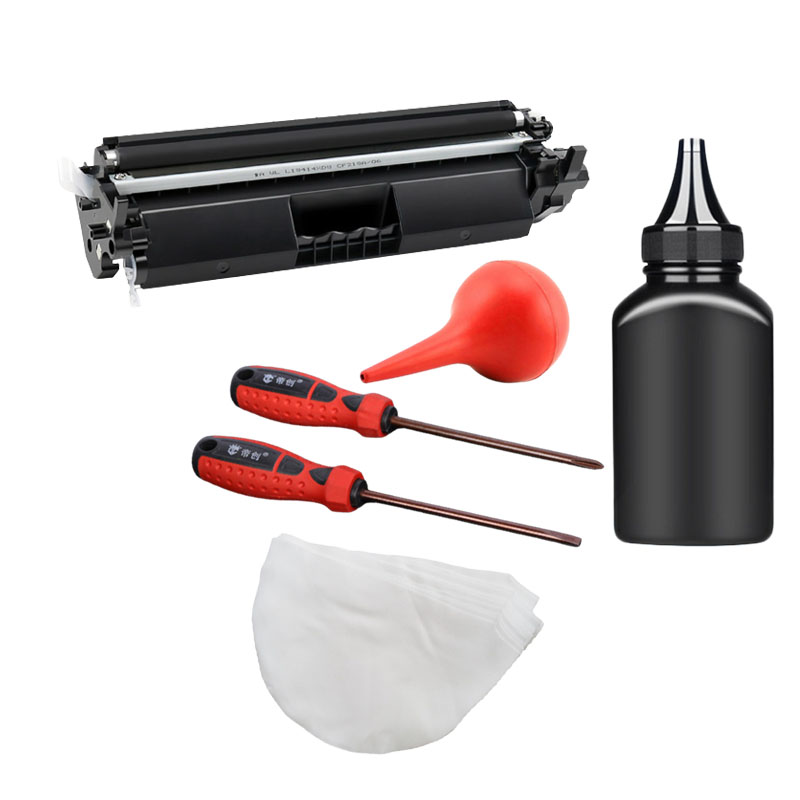
2. Disassembly the Toner Cartridge
Prvi, take ;the toner cartridge from the laser printer. find the toner cartridge cover fixing screws, use a screwdriver to remove screws. and put screws well.
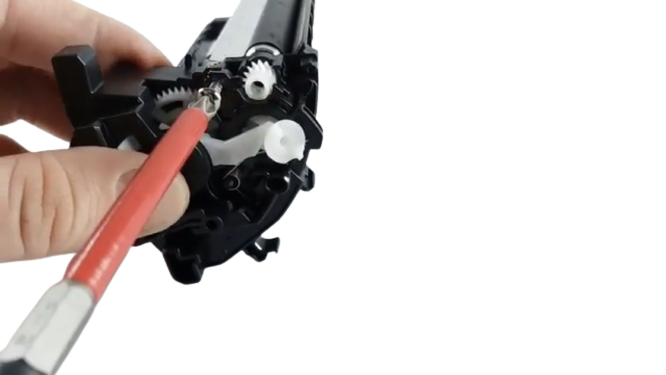

Then use the “;one”; screwdriver to pry open the cartridge cover clips gently, and then open the cartridge cover.
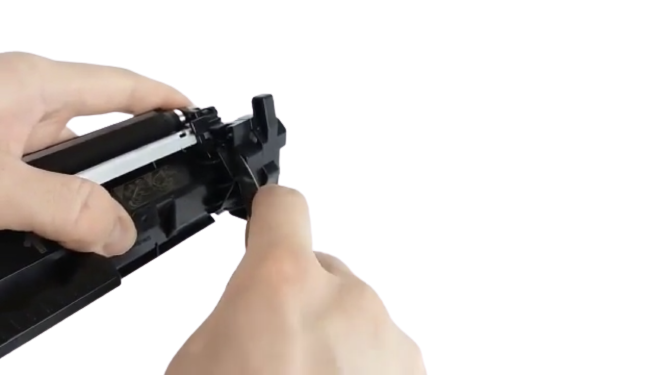
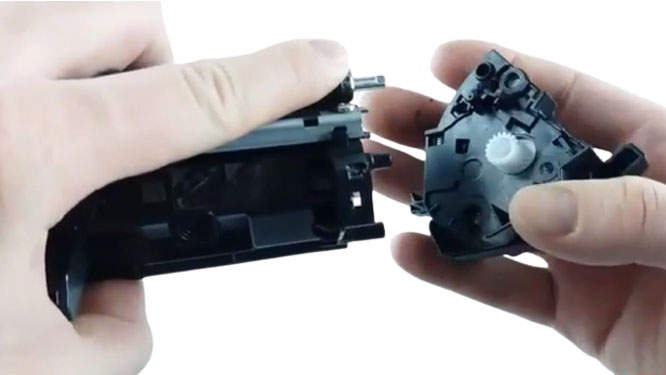
To prevent pollution, we should lay a newspaper on the table beforehand. And pay attention to the process of toner cartridge refilling, also need to keep the working environment clean.
3. Clean up the Waste Toner Powder
The used toner cartridge have some balance toner in it. The toner cannot be used up in the printer cartridge. It is very important to clean up the balance toner before refill. If not cleaned up, we add the toner, and the original toner may not be compatible with the formation of block solid.
So we must add toner before the used toner cartridge in the toner clean up. Before we disassembly the toner cartridge, take the developer roller from the cartridge.
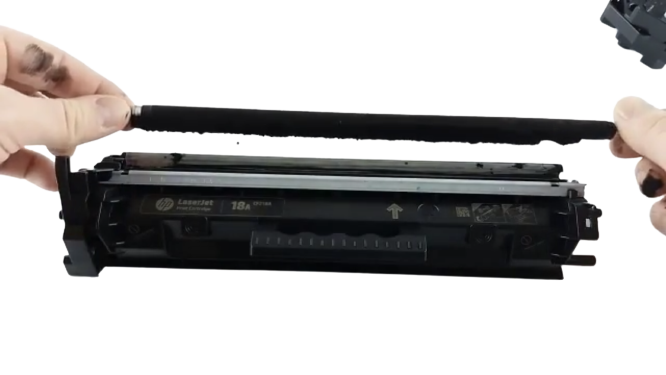
Put the roller on clean paper. use soft cloth to clean up the roller and toner on the blade. Carefully remove the roller from the toner cartridge. Usually, roller come with plastic gears, so we need to take off the gears at both ends of the charge roller before wiping.
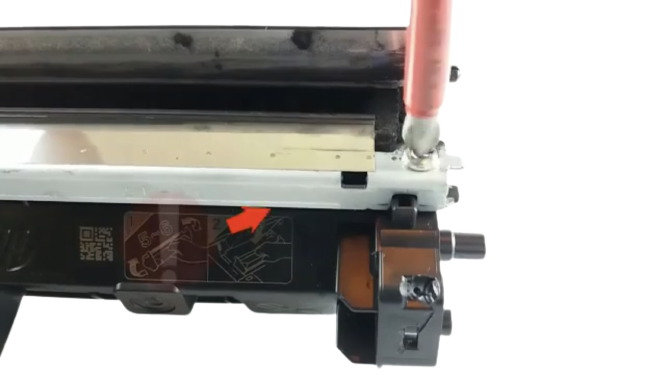
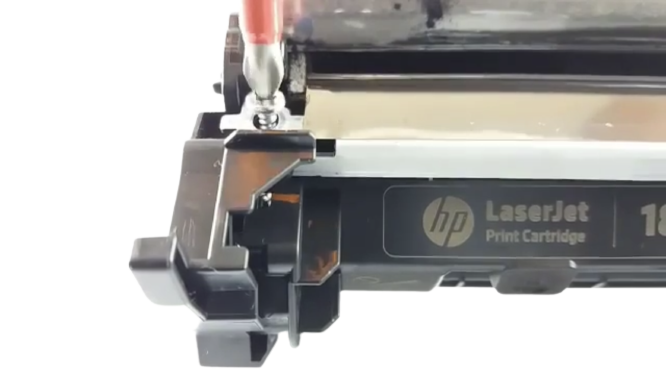
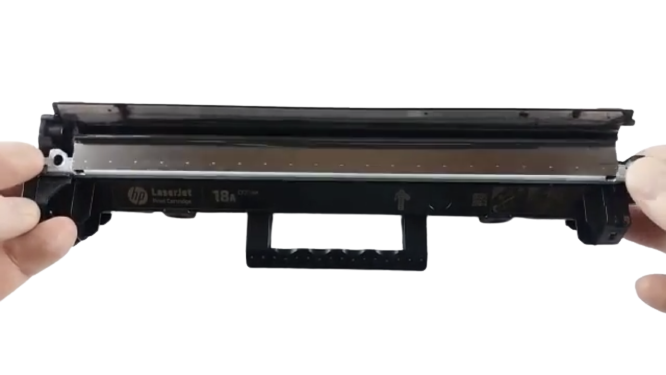

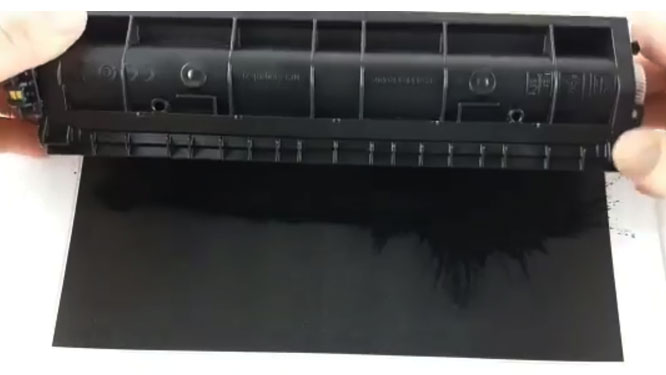
4. Add New Toner to the Toner Cartridge
Through the above cleaning, next, add new toner to the cartridge. add it by unscrewing the cap of the purchased toner bottle, tear off the sealing paper of the bottle. and slowly pour the toner into the toner cartridge of the toner cartridge until it is full. Pour the toner into the toner cartridge to avoid spreading the toner outside. We can use the printing paper pad at the mouth of the toner cartridge to refill the powder.
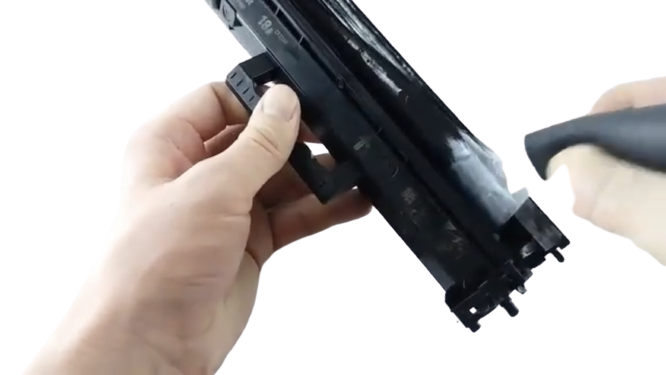
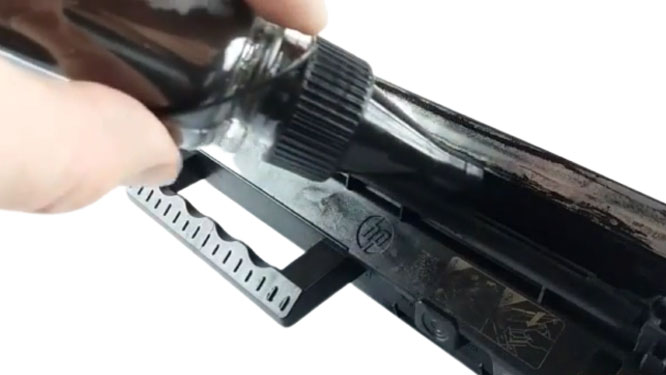
After the toner is added, assembly toner cartridge and the waste toner cartridge are together. Tighten the screws. Then use a clean brush or soft cloth to wipe away the toner around the toner cartridge. Before putting the toner cartridge into the printer, we use our hands to shake the cartridge left and right. Just make sure the toner in the cartridge evenly distributed so that it can print properly later.

5. Put the refilled toner cartridge into the printer and start to print.
High quality toner cartridges can be used again by adding toner. This also does not mean that a high quality toner cartridge can be endlessly refilled with toner. The print quality of a toner cartridge needs the entire accessory to work with. Some accessories don’;t last that long. If we add toner multiple times may let you down with the print quality.
How to Print Page Status on CF217 Printer
This series of printers are divided into without display and with a display. See the detailed operation below.
1. No screen printer
Korak 1: Turn on the printer, install the toner cartridge, and identify the printer.
Korak 2: Press and hold the panel “;Continue/Cancel”; button for about 5 seconds and then release it to print out the “;status page”;
2. With screen printer (display + button)
Korak 1: Turn on the printer, install the corresponding model/area supplies, and identify the printer.
Korak 2: Press the screen “;setup”; dugme, select “;reports,”; and select “;supplies status”; to print.
Zaključak
You don’;t know where to buy toner cartridges. ;You don’;t know how to buy toner cartridges wholesale. ;Or you just want to learn more about printer and copier consumables. ;Uvijek možeš Kontaktirajte nas, any consultation is free.